
Ruby Kinglet
Customizers
Let shoppers design their own jewelry.
Right on your product page. They build the piece, watch it render, and send you the design as a quote. Or show every combination as a real photo with add to cart. Build it yourself, with us on call.
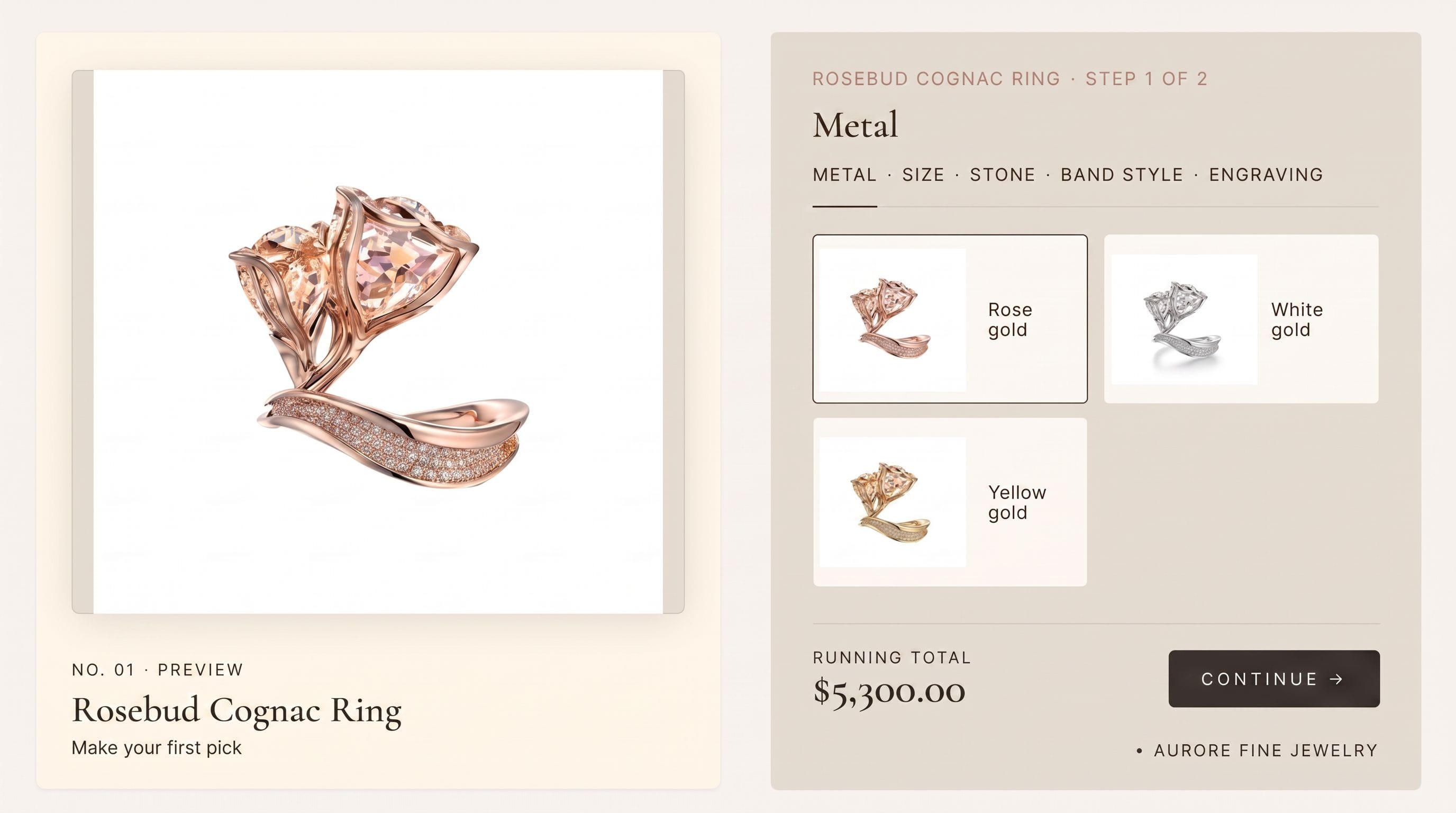
Live preview
Connect your store
It lives on the page you already have.
No new page, no new checkout. It sits in your Shopify buy box. Add to cart carries real variant data, and add-ons charge on the same order.

Two ways, one product page
Run one, or both, on the same piece.
Design live
Full AI customization
Design live · render · quote
Shoppers design their own jewelry and watch it render live. The design lands in your inbox as a quote.
Buy box
Pre-rendered beauty shots
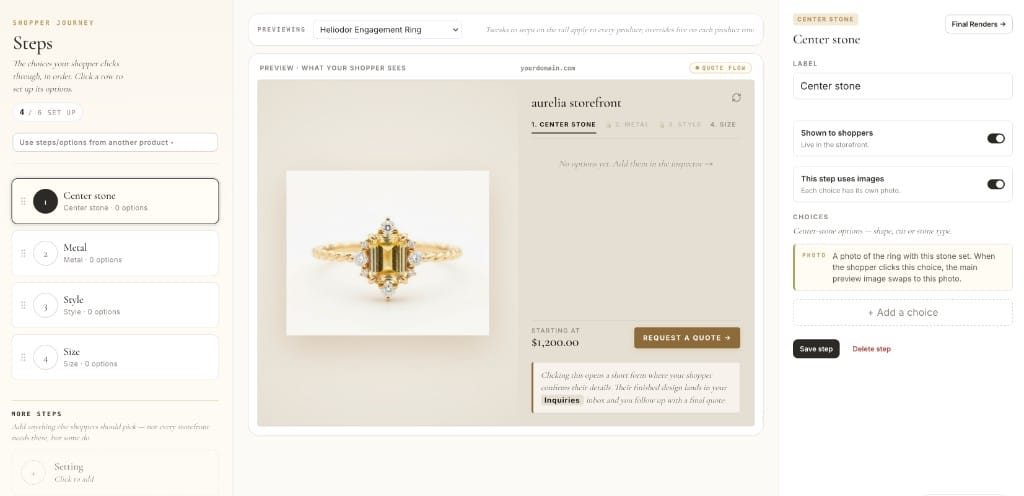
Options · real photos · cart
Every version of the piece, shown as a real photo. Add to cart still works, plus paid upsells.
Also included
No site overhauls required.
On the page you already have
It lives in your buy box, not a separate page or checkout. Add to cart flows through Shopify with real variant data. Add-ons charge on the same order. Nothing new for your shopper to learn.
Self-serve, help on call
You build it yourself in the dashboard. Ask us anything along the way, and we can wire up the tricky parts with you. Not live on your store the way you want in 30 days? Money back.
CAD renders for metal and stone
Have a 3DM? Render every metal and stone combination straight from your CAD in the dashboard, so the geometry stays exact across the matrix.
Use cases
Use cases.
Jewelers turning their product pages into the reason shoppers buy.
DTC jewelry brand on Shopify
Engagement rings that sell themselves
The problem
Custom rings drive the revenue, but the old builder is a clunky third-party app that fights the brand.
What we do
Turn on "Design one like this" on the ring page. Shoppers build their own and send the design. You quote from your inbox.
The outcome
A designer that matches the brand and books serious leads with the exact ring attached.
Jeweler with a fixed catalog
More buy options, higher order value
The problem
Every product page shows one photo and one price. Metal and stone choices live in a spreadsheet, and engraving is an email.
What we do
Add options + photos to the buy box. Every combination shows a real photo. Charge engraving and add-ons in the cart.
The outcome
Product pages that convert better and carry a bigger average order.
Bespoke studio
Bespoke studio that qualifies leads
The problem
Serious clients want to see their piece before the consult. Static photos can not show it.
What we do
Let shoppers design live on the piece and send it in. Every request arrives with the design and their contact.
The outcome
Warmer consults. The design conversation starts before the call.
Retailer with a small catalog
Live by next week
The problem
You want a customizer up fast, without a build project.
What we do
Pick your products and build it in the dashboard. We help with whatever gets stuck.
The outcome
A polished customizer live in days.
FAQ
Common questions about jewelry customizers.
Pre-rendered vs AI-rendered jewelry customizer: which converts better?
+
Pre-rendered wins on speed and familiarity; AI-rendered wins on personalization at higher price points. A reasonable rule of thumb: below a few hundred dollars, shoppers are decisive enough that pre-rendered feels fast and is fine; for engagement and bespoke, the lift from "this is exactly my piece" justifies the extra render time. Many brands ship pre-rendered for fashion SKUs and AI for engagement and bespoke. (3D-rendered customizers driven off CAD are a third path, with their own tradeoffs. See the next question.)
How do 3D-rendered (CAD-driven) jewelry customizers compare to photoreal ones?
+
The strength of a 3D-rendered customizer is real-time response and geometric accuracy: every part of the piece is the actual CAD, so what the shopper sees is exactly what gets cast. The weakness is realism. 3D renders are obviously renders. Stones tend to look plastic, metal reads matte and flat, and the piece sits in a vacuum without the brilliance, dispersion, or shadow language a photo or a strong AI render carries. There is also a build-cost question: a real 3D customizer needs a properly authored parametric CAD (typically a custom Rhino project per piece with swappable parts, named layers, and clean topology), which is expensive and slow to produce and tends to lock you into the geometry you started with. For most jewelry, photoreal (AI or pre-rendered) tends to win, because shoppers evaluate sparkle and material as much as silhouette. The sweet spot for 3D is configurators where geometric precision matters more than aesthetic conviction: signet rings, engravable pieces, or builder UIs aimed at the design conversation rather than the final purchase.
Can a small jewelry brand ship a customizer without an agency?
+
Yes, and the answer changed in the last couple of years. Configure-and-launch tooling is now mature enough that a one-person shop can ship a working customizer in a week, work that used to mean a long agency engagement. The time now goes into brand fit (photos, styling, option scopes), not the integration.
How are jewelry shoppers actually using customizers in 2026?
+
They configure more and hesitate less. Live-render customizers in particular cut the gap between "I think I want this" and "this is exactly what I want", which is where most jewelry purchases historically died.
What is the conversion impact of full-custom previews vs static images?
+
One of the biggest variables in jewelry e-commerce conversion. A live preview of the shopper's exact piece converts meaningfully better than static photography, with the biggest gains in engagement and bespoke. The effect is smaller for fashion jewelry at lower price points, where shoppers are more decisive and care less about the exact piece.
How do jewelry customizers integrate with Shopify in practice?
+
The pattern that works is: products live in Shopify, the customizer lives outside (as an embed or app), and the configured piece flows back into the Shopify cart with full variant data. Driving a customizer entirely off Shopify variants hits a wall fast. Shopify raised the variant ceiling to 2,048 per product in October 2025, but it still allows only three options per product, and any real jewelry option matrix (stone × metal × setting × size) is four before you add engraving or ring size. Most serious jewelry storefronts pair Shopify with a dedicated customizer engine.
Should I have a customizer at all if I sell limited bespoke?
+
Yes, and the framing matters. A customizer for limited-bespoke is not there to take orders unattended; it is there to help a serious client pre-visualize and pre-commit before the consultation. The jewelers using it best treat it as a lead-qualification and design-direction tool, with the actual commercial work happening in the consult.
How do you keep a customizer inside what you can actually manufacture?
+
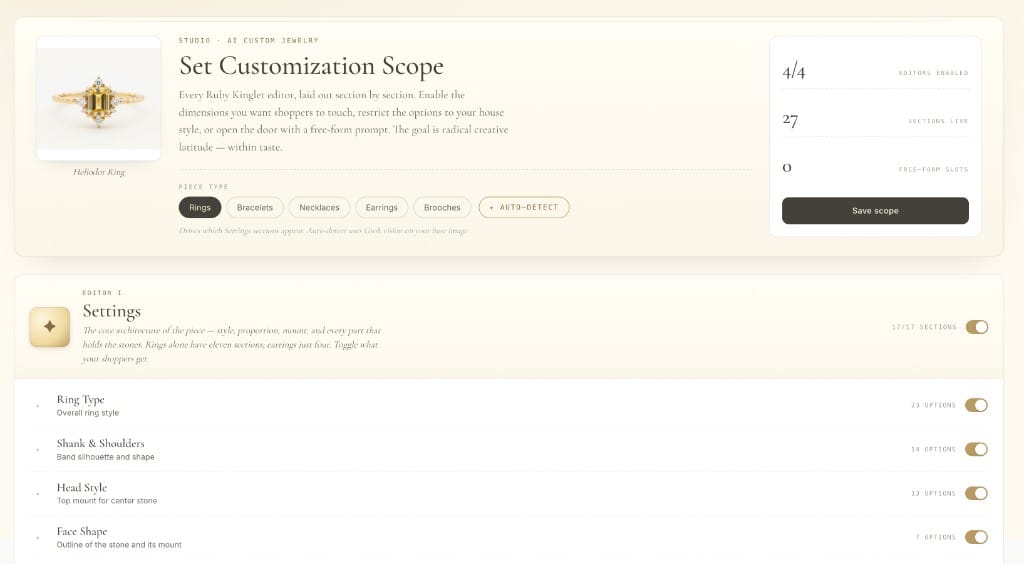
Scopes. Set rules at config time for what can and cannot be combined. Without scopes, customizers happily generate combinations you cannot make (incompatible stone size and setting type, prong styles that will not cast, etc.) and end up with shoppers expecting pieces you have to refuse to fulfill. Every modern jewelry customizer worth using exposes scope controls; if yours does not, it will burn you.
What are the two ways to customize?
+
Pre-rendered beauty shots put stone, metal and setting choices in your buy box, each combination shown as a real photo, with add to cart and paid upsells. Full AI customization adds an AI designer button: shoppers build their own piece live and send it in as a quote. Both live on the product page, and you can run both on the same piece.
Do I need a developer or an agency to launch?
+
No. You pick the products in Ruby Kinglet and add our block to your Shopify product pages, all from the dashboard. Ask us anything while you set it up, and we can wire up the tricky parts with you. If it is not live on your store the way you want in 30 days, you get your money back.
Can I use my existing CAD files?
+
Yes, for metal and stone. Render every metal and stone combination straight from your 3DM in the dashboard, so the geometry stays exact across the matrix. Otherwise the customizer runs on your photos and AI renders.
How fast can a customizer go live?
+
Days. You pick the products and build it in the dashboard, with us on call. If it is not live on your store the way you want in 30 days, you get your money back.
Ship a customizer this week.
Configure, brand, and launch from one dashboard. No agency, no integration team, no quotes.