
Ruby Kinglet · CAD
STL.READY · 3DM.READY · RHINO.SYNC
Jewelry CAD for the AI era.
Eight-plus workflows across STLs and parametric 3DMs. Generate from photos, edit existing files, render with swappable parts, prep for manufacturing, or use them in photoshoots. Standard exports: STL · 3DM · OBJ · GLB.
8+ workflows
STL · 3DM · OBJ · GLB
Rhino-backed
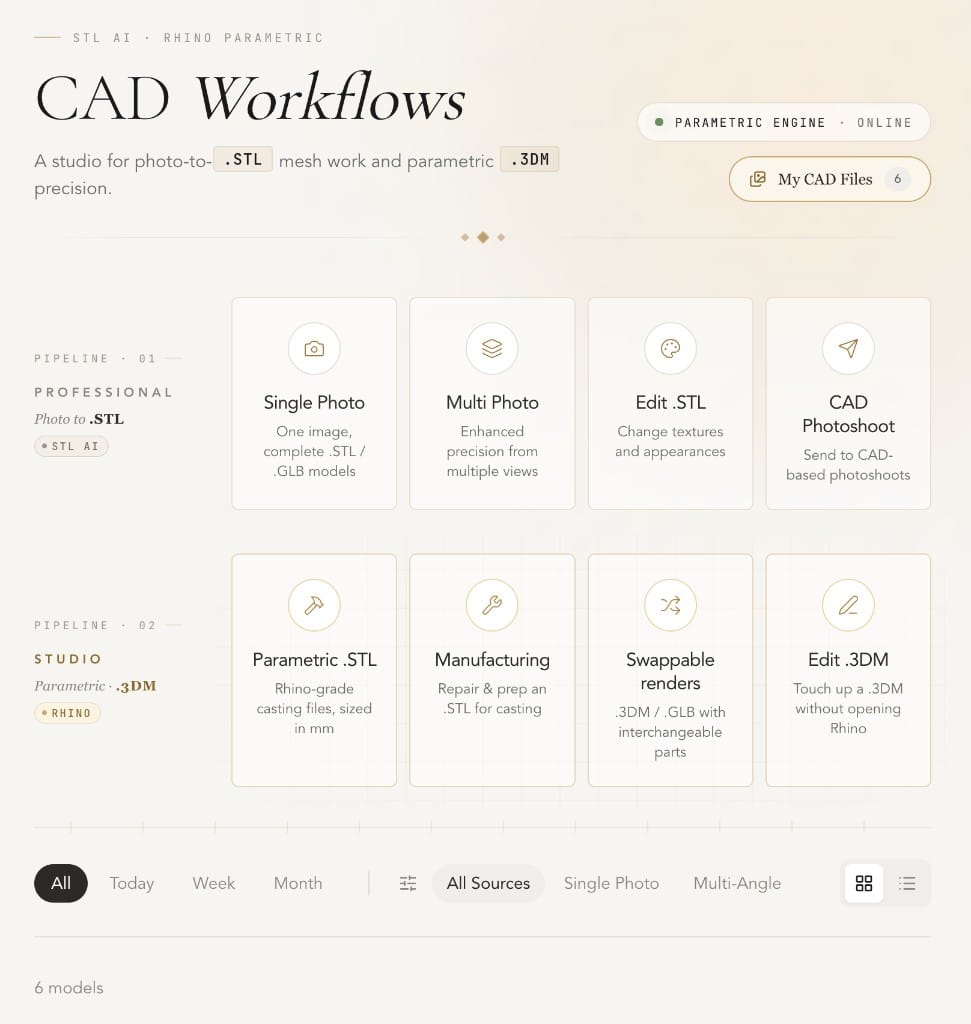
Inputs
Photos · STL · 3DM
Engine
Rhino-backed
Exports
STL · 3DM · OBJ · GLB
Workflows
8 and counting
Photo → Printable mesh
Generate STLs from photos.
Printable STL or GLB from one or several photos of a piece. Free retries: if the first pass is not right, try again on us. The result is a manufacturable mesh you can hand to casting or printing.
One or several photos in, printable mesh out
STL or GLB
Free retries until the result is right
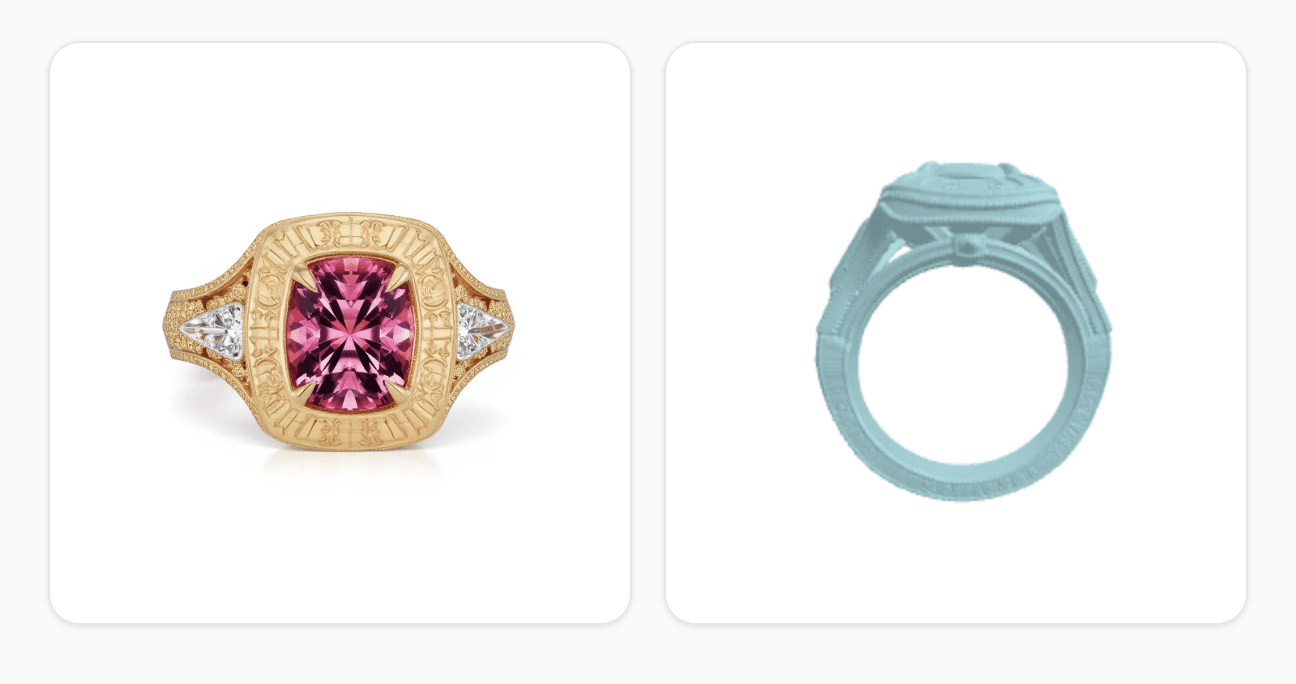
Mesh · Watertight
Free retries on
Export · STL / GLB
Workflows
Eight workflows in one CAD environment.
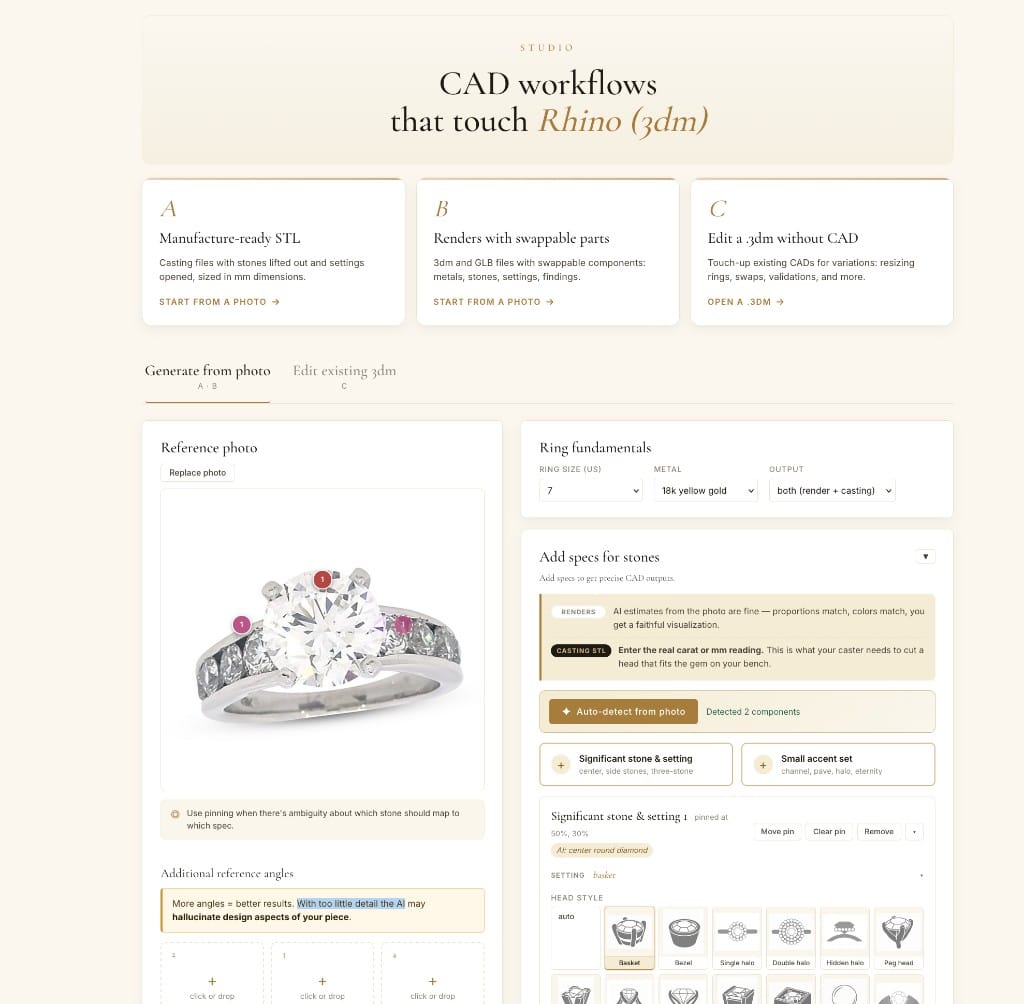
Edit existing STLs and 3DMs
Edit existing assets to make new piece variations. Backed by a Rhino parametric engine plus jewelry-specific libraries, so the edits respect the way pieces are actually built.
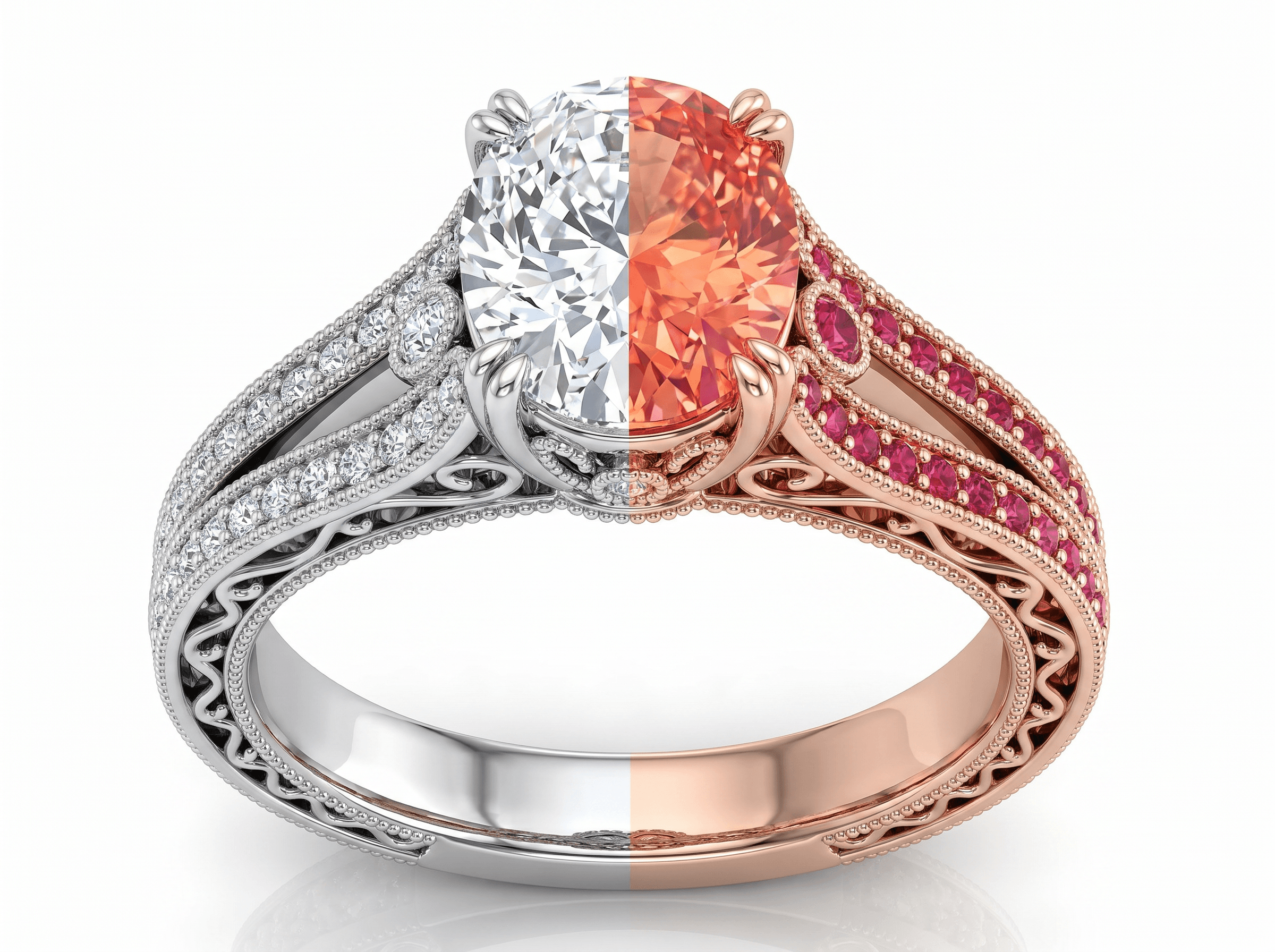
Renders with swappable parts
Render variations from a single 3DM with swappable components: settings, shanks, stones, prongs. One file, many on-store and catalog variations, with the geometry intact across all of them.
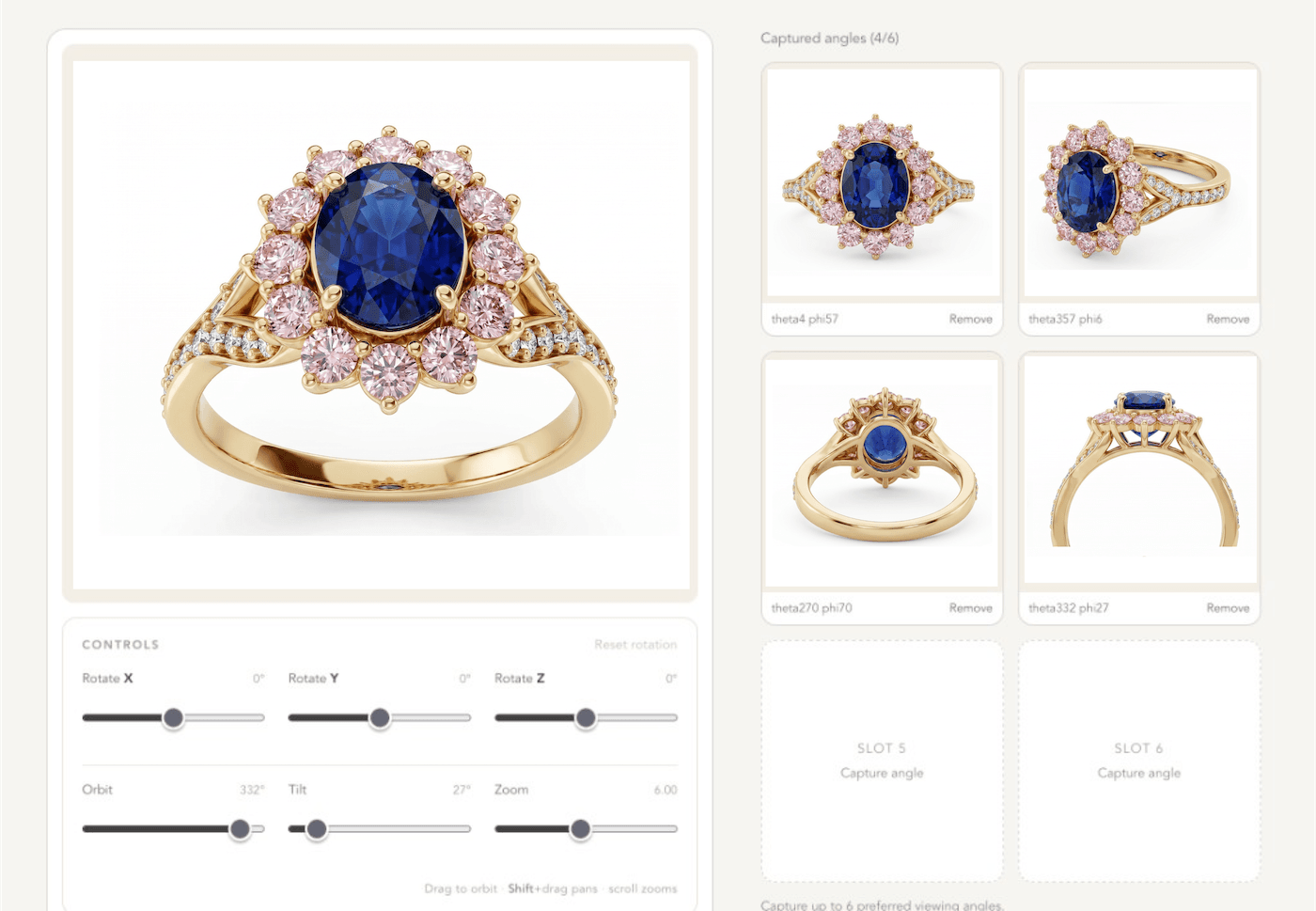
CAD for photoshoots
Use STL or 3DM as the input for studio-grade imagery. Geometry is preserved. The output is your exact piece in retail-ready imagery, useful for pre-sale, client approval, and listing imagery before metal is cut.
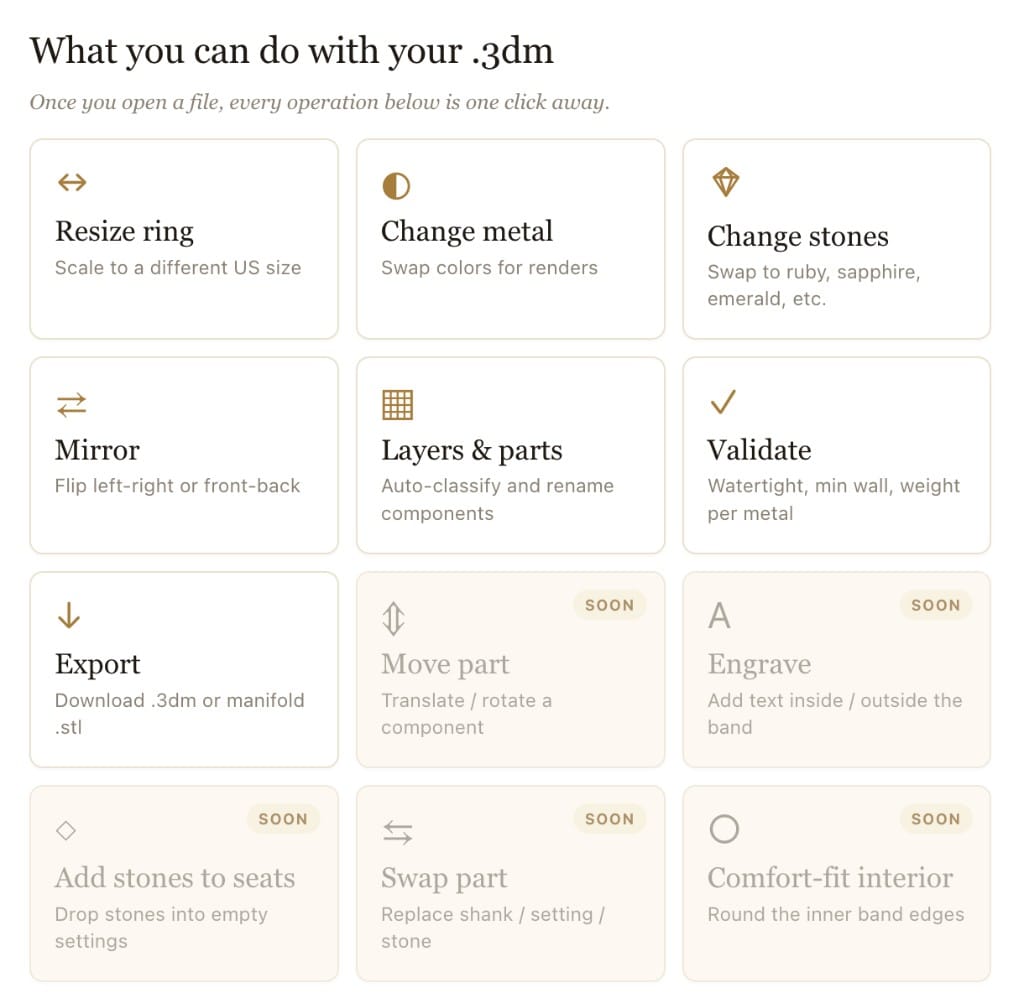
Manufacturing prep
A range of pre-manufacturing tasks: evaluate meshes, check thickness, organize layers, repair geometry, prep for casting or printing. The hand-off file is ready for the bench.
Use cases
Use cases on Ruby Kinglet.
Concrete CAD workflows for studios, manufacturers, designers, and bench jewelers using Ruby Kinglet today.
Bench jeweler
Photo to printable STL
Problem
A client brings a piece they want re-made. You have photos, no CAD file, and need a manufacturable mesh.
Workflow
Drop the photos into the photo→STL workflow. Iterate with free retries until the mesh is right. Run a thickness check and clean up before printing.
Outcome
A printable STL ready for casting or 3D printing, from photos alone.
Studio and small manufacturer
Variations from one base 3DM
Problem
You have a popular base ring and want to ship a dozen variations (different shanks, settings, stones) without re-modeling each one.
Workflow
Open the base 3DM in the CAD editor. Use parametric swaps to generate the variations. Render each with swappable parts and export as needed.
Outcome
Twelve manufacturable variations and matching imagery from a single base file.
Bespoke jeweler
Pre-sale imagery before manufacturing
Problem
You need client approval and a deposit on a piece before committing casting cost.
Workflow
Move the 3DM into the photoshoot tools with CAD as the seed. Geometry stays exact. Generate retail-ready imagery for the client.
Outcome
Approval and deposit on a piece that has not been cut, with assets you can also use to list it.
Design studio working with external casting
Manufacturing handoff
Problem
Your casting house keeps flagging mesh issues and undercuts.
Workflow
Run manufacturing prep tasks before handoff: mesh evaluation, thickness check, layer organization. Export to the format your caster expects.
Outcome
Cleaner files, fewer revisions, faster turnaround at the casting house.
FAQ
Common questions about jewelry CAD AI.
Can AI generate printable jewelry CAD from photos?
+
Yes. This was research-grade in 2023 and is production-grade today for most ring and pendant categories. Current state of the art produces a printable STL or GLB from one or several photos in under a minute, and the output is good enough for casting on the first or second pass for most pieces. It is not yet good enough to skip a CAD jeweler's review on complex micro-pavé or unusual setting work.
How accurate is photo-to-STL for jewelry today?
+
For standard rings, pendants, and stud earrings: accurate enough to cast directly after a thickness check and a quick mesh review. For pieces with unusual settings, fine pavé, or interlocking parts: accurate enough as a starting point, with a CAD jeweler refining the last 10–20%. The floor of "what works on the first pass" rises every quarter.
What is Rhino's role in jewelry CAD in 2026?
+
Still the dominant parametric engine, and likely will be for the rest of the decade. Most serious jewelry CAD tools (including ours) are Rhino-backed underneath, because parametric edits (change a shank, swap a head, adjust a stone size) still require Rhino-grade geometry that a pure mesh tool cannot match. The shift is that you are less often opening Rhino directly; you are driving it through a layer that knows about jewelry.
How are jewelers using AI for parametric variations?
+
One base 3DM, many variations. This is the workflow that has quietly become standard. From a single ring file, teams generate variations across shank style, stone shape and size, head type, and metal at the click of a button, then render each one. The studios shipping the most product are doing this for catalog launches; bespoke jewelers are doing it for client option sets.
Should bespoke jewelers learn CAD or rely on AI?
+
Both, in that order. Photo-to-STL handles the cases where you need a manufacturable file fast and do not want to model from scratch. Manual CAD or parametric editing handles the cases where the piece is unusual enough that AI gets you 80% of the way and you need the last 20%. The jewelers ignoring CAD entirely are the ones whose practice still hits a ceiling.
What file formats does the jewelry industry actually need?
+
Four cover most situations. STL for 3D printing. 3DM for parametric editing and most casting houses. OBJ for tools that do not read 3DM. GLB for web-based viewers and storefront customizers. If your CAD tool cannot export all four, you will hit a wall whenever you need to hand off to a vendor or a storefront.
How is AI changing CAD jewelry shops?
+
The CAD jeweler's day used to be 60–70% modeling from scratch; today it is closer to 30%, with the rest spent on review, refinement, and parametric variations. The volume of work each CAD jeweler can ship has roughly doubled. The shops we see thriving have shifted billing from per-hour modeling to per-piece or per-collection, because the value they deliver is no longer time-on-keyboard.
Can I generate a printable STL from photos alone on Ruby Kinglet?
+
Yes. The photo→STL workflow takes one or several photos of a piece and produces a printable STL or GLB. You get free retries until the mesh is right.
Can I edit existing 3DM files parametrically?
+
Yes. The CAD environment is Rhino-backed and ships with jewelry-specific libraries. You can swap settings, shanks, stones, and prongs while keeping the rest of the file intact.
What manufacturing prep tasks are included?
+
Mesh evaluation, thickness checks, undercut detection, layer organization, geometry repair, and clean exports per format. The goal is a hand-off file your casting house or printer accepts on the first try, so you stop paying for the round-trip.
How do CAD files connect to photoshoots and storefronts?
+
CAD feeds directly into the photoshoot tools (drop a 3DM or STL in as the seed; the geometry is preserved) and into the customizer tools (one 3DM, swappable settings/shanks/stones/prongs, rendered on demand for shoppers). The same file powers both your catalog imagery and your on-store configurator.
Try the CAD pipeline on a real piece.
3,000+ jewelers on the platform. 30-day money-back guarantee on Pro plans. Images you supply and models you train are always exclusively yours.